Description
A collection of Automation Scripts created using Python in Unreal Engine.


Setup Composure Assets
This script simplifies the process of creating and configuring composure assets and elements, thereby enhancing the efficiency of chroma keying (green screen) and compositing workflows.
The script primarily focuses on four key operations:
1. Spawning Cine Camera Actor: The script initiates the creation of a new Cine Camera Actor within the scene. This aids in setting up and positioning the camera for rendering and visualisation tasks.
2. Managing Media Assets: The script takes charge of creating, loading, and configuring media-related assets, such as Media Player and Media Texture. It can create new assets, open specified URLs, and link media textures with media players.
3. Creating Composure Composition: The script directs the creation of a Composure comp shot and its associated elements like Media Plate and CG Capture. This involves setting up the necessary components for compositing visual effects and media elements.
4. Generating the Compositing Material: The script produces a new material specifically designed for compositing tasks. It configures texture parameter nodes and connections to create essential post-process effects for compositing.
In addition to these, the script includes functions to set key colours for compositing and assign specific materials to designated compositing elements. In essence, this script significantly boosts efficiency and automation in handling compositing and media-related tasks within Unreal Engine projects. This contributes to more streamlined workflows and increased productivity in 3D rendering and visualisation projects.
Setup Calibration Data
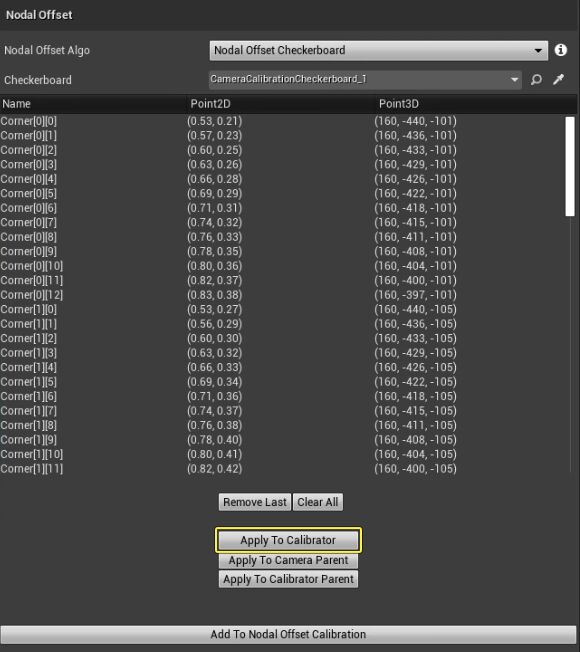
This Python script is an automation tool designed to streamline the creation and configuration of lens files within the Unreal Engine environment. Lens files are integral in setting up lens properties for virtual cameras.
The script primarily performs two main functions:
1. createLensFile(): This function manages the creation of a new lens file asset. It sets the asset’s name and package path, uses a Lens File factory to create the asset, and saves it to a specified location. Additionally, it encodes lens file data into a base64 string and writes this data to the newly created asset file.
2. setupLensFile(): Once the lens file asset is created, this function takes over the configuration of various lens properties. It loads the newly created lens asset and sets parameters such as focus, zoom, focal length, nodal offset, and image centre point. These parameters are crucial in defining the behaviour and characteristics of virtual camera lenses within the Unreal Engine.
By automating the creation and setup of lens files, this script allows users to efficiently customise lens properties for their virtual camera setups.
Clo3D Material to Unreal Engine
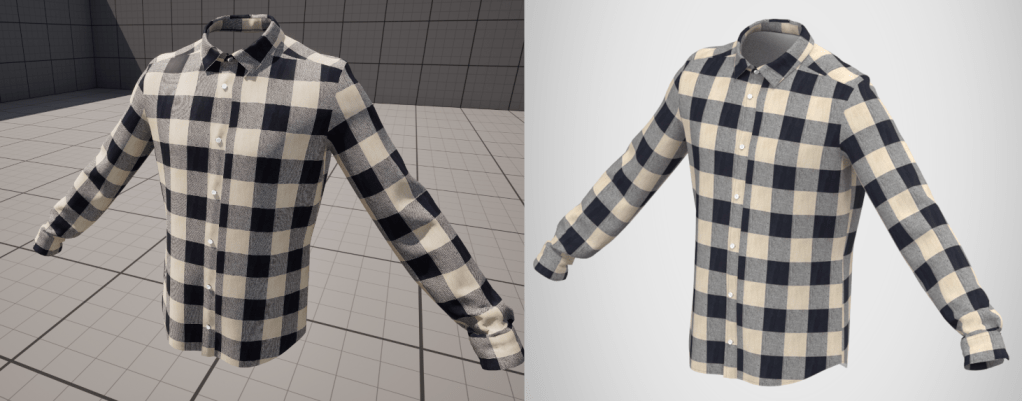
This script automates importing Clo3D Material Information into Unreal Engine.
In Clo3D, PBR material data (e.g. Opacity, Specular, Roughness, Metallic) is scraped and written into a JSON File for further use in Unreal Engine.
In Unreal Engine, another script operates on fabric data stored in a JSON file and utilises it to create or modify materials within Unreal Engine.
- Loading JSON Data:
- The script attempts to read JSON data from a specified file path.
- If the file is found and contains valid JSON, the data is loaded successfully.
- Otherwise, appropriate error messages are displayed.
- Parsing JSON Data:
- The loaded JSON data is parsed into a Python dictionary for easy access to its contents.
- Specific material properties such as roughness, specular, and metallic values for the front material are extracted from the parsed data.
- Material Creation and Modification:
- Using Unreal Engine’s Material Editor functionalities, the script creates or modifies a material asset named “MAT_Garment” located in “/Game/Materials”.
- Nodes representing texture samples for base colour, roughness, specular, and metallic properties are created within the material graph.
- The values obtained from the parsed JSON data are applied to these material nodes.
- The material is recompiled and saved.
- Resource Management:
- References to assets and nodes are cleared to free up memory.
- Garbage collection is enforced to ensure efficient memory management.
Overall, this script automates the process of creating or updating materials in Unreal Engine based on fabric data stored in a JSON file, facilitating efficient material creation workflows for 3D garment design.
 Wei Yong's Tech Art Blog