
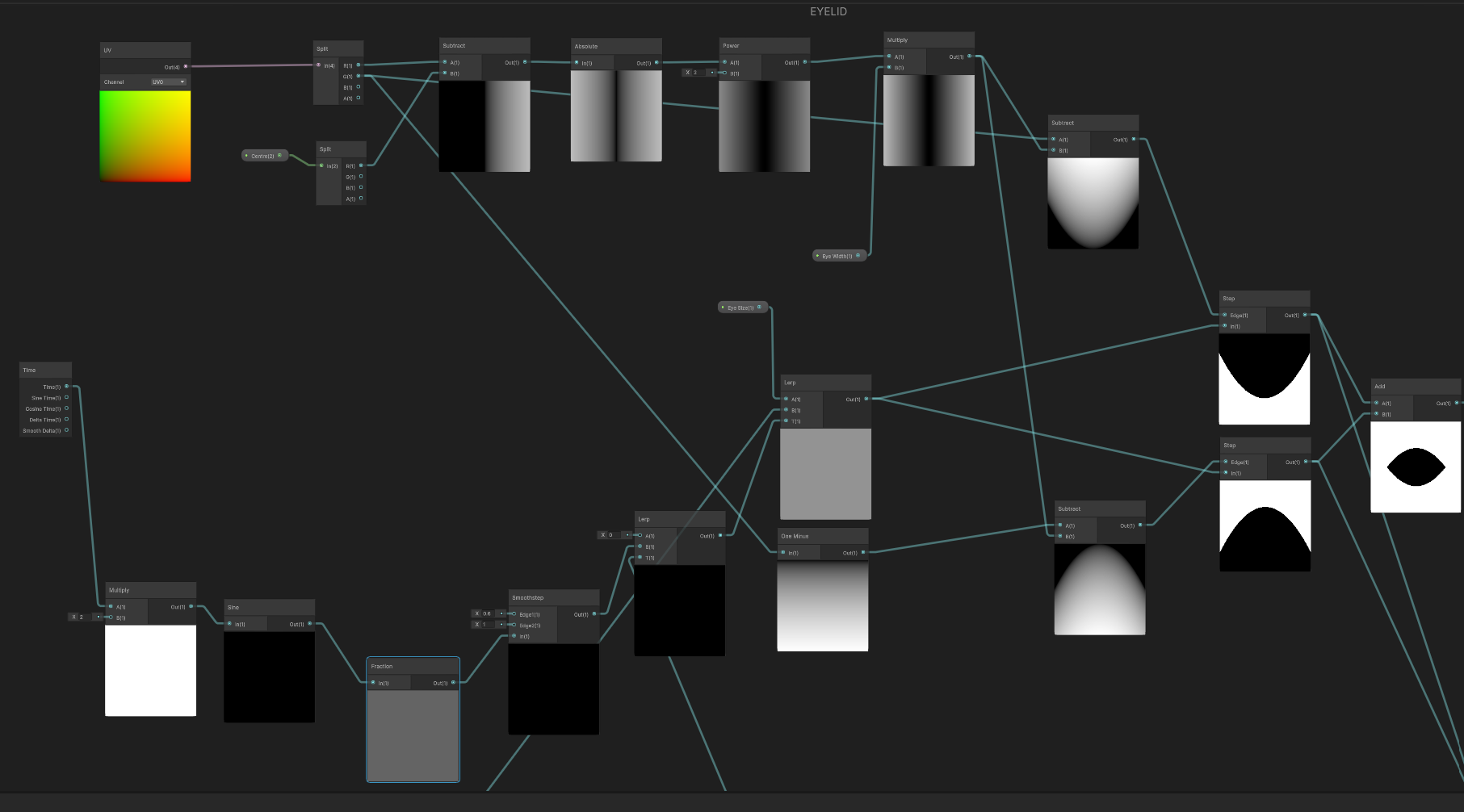
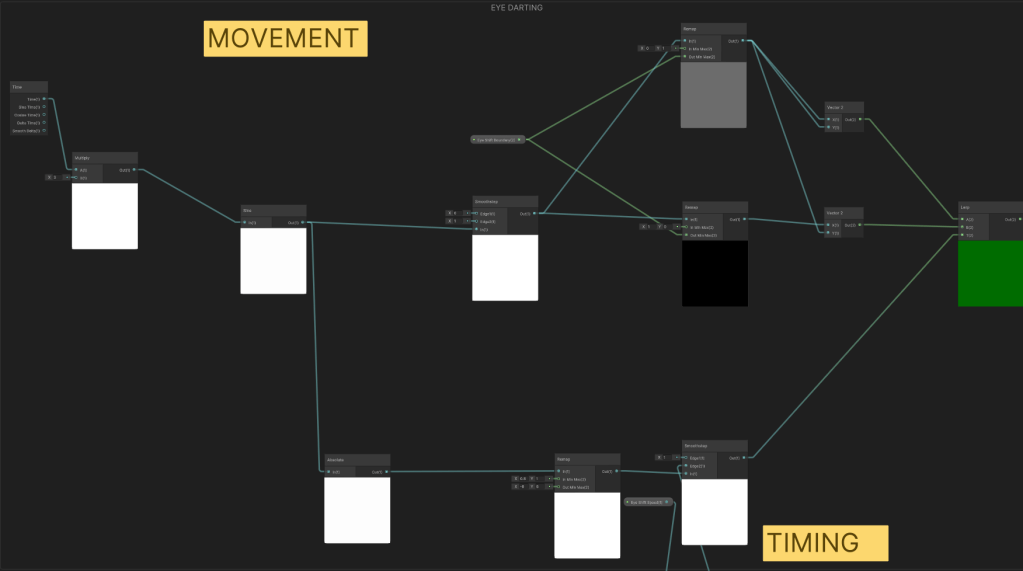
The Eye Shader animates a blinking, darting eye.
It was made in Unity’s Node Based Shader Graph.
It comprises of the following parameters:
Centre– Defines the centre position (in UV Space) of the eye.Eye Size– Adjusts the overall size of the eye.Eye Width– Adjusts the width of the eye.Eye Lid Colour– Adjusts the colour of the eye lid.Sclera Colour– Adjusts the colour of the eye sclera.Iris Colour– Adjusts the colour of the eye iris.Iris Radius– Adjusts the radius of the iris.Thin Pupil?– Switches out the pupil to have a thinner, reptile-like look.Pupil Colour– Adjusts the colour of the pupil.Round Pupil Radius– Adjusts the radius of the round pupil. This will not affect the thin pupil.Thin Pupil Width– Adjusts the width of the thin pupil. This will not affect the round pupil.Animate Blinking– Activates the blinking animation.Blink Speed– Adjusts the blinking speed.Animate Shifting– Activates the eye shifting/darting animation.Eye Shift Speed– Adjusts the eye shifting speed.Eye Shift Boundary– Adjusts the boundary of the eye during its shifting animation.
The Watchers contained another C# Script Component.
- This script will make any object (e.g. The Watchers) look at another chosen object (e.g. Player).
- The script is located at Assets > Scripts > ShaderManager > LookAt.
The parameters are as follows:
Players– Add Player Transforms to this parameter’s list for the Watchers to LookAt. The Watchers will face the closest player from the Players parameter list.Lerp Speed– Adjusts the Lerp Speed when switching which closest object to look at.
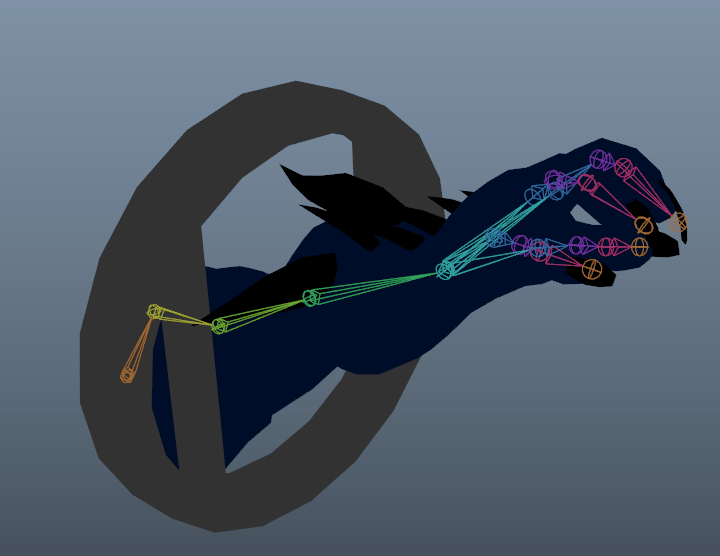
- The Arm from a Mixamo Character Model was extracted and Rigged/Skinned. A vent mesh was built around it.
- A Sphere Mesh was UV mapped to match the Eye Shader.
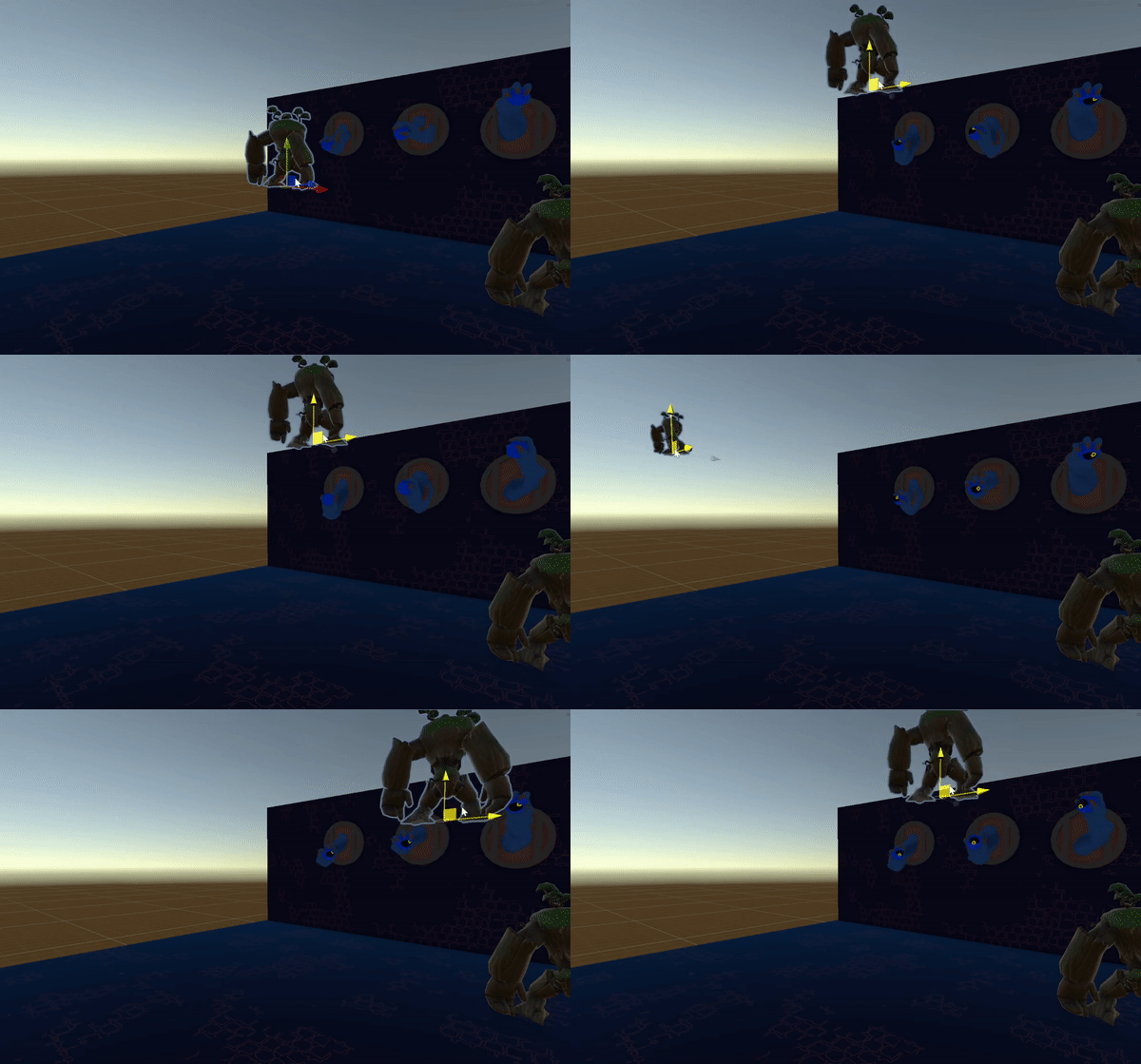
The Eye Shader was implemented and a C# Script was created and attached to it, so the Eye always follows the closest player which is driven by the Arm.
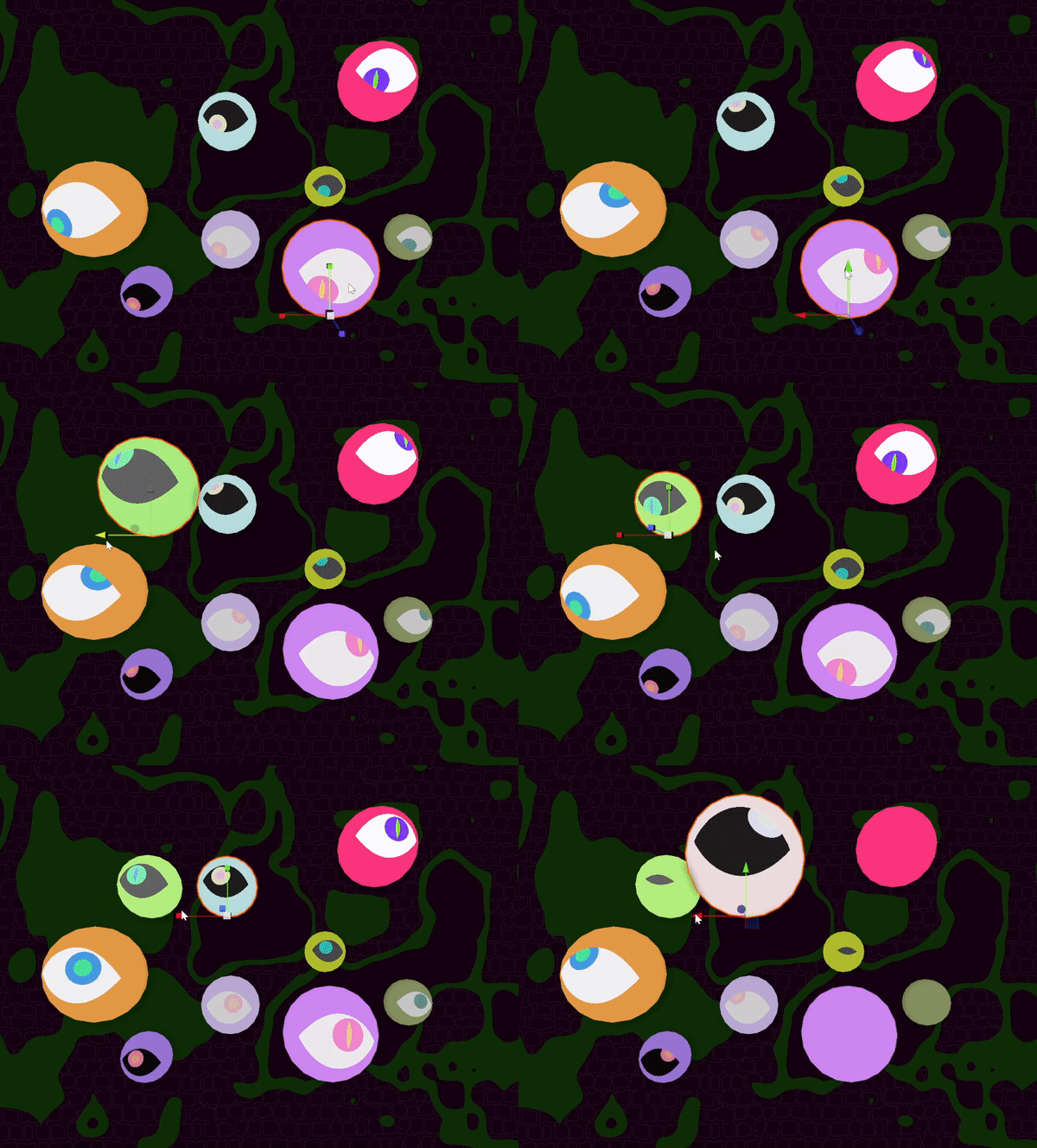
Randomization for the Eye Shader can be controlled by Scale and World Position.
 Wei Yong's Tech Art Blog